Property development has never been simple, but technology has made it more manageable. If you're using the right tools, that is.
Today's projects involve architects, engineers, contractors, project managers, consultants, and clients who often work from different offices, job sites, and even different cities. Keeping everyone aligned requires more than email chains and shared folders.
Outdated systems create communication gaps, increase the risk of errors, and make it harder to keep projects on schedule. If you're evaluating how your team works, now is a good time to ask whether your technology is helping you move faster or slowing you down.
Here are the digital tools every modern property development team should have in place.
1. Cloud-Based Collaboration Keeps Projects Moving
Development projects generate an enormous number of files. Site plans, blueprints, permits, contracts, budgets, and specifications all need to be accessible to the right people at the right time.
Cloud-based collaboration platforms allow your team to work from a single source of truth. Instead of wondering whether someone is reviewing the latest drawing or an outdated version saved on their desktop, everyone accesses the same files in real time.
This kind of centralized document management reduces confusion, speeds up approvals, and helps prevent costly mistakes caused by version control issues. It also makes collaboration much easier when architects, engineers, contractors, and clients aren't all in the same location.
2. Project Management Software Improves Visibility
Managing a property development project means tracking dozens (or even hundreds) of moving pieces at once. Without a centralized system, it's easy for deadlines, budget updates, or task assignments to fall through the cracks.
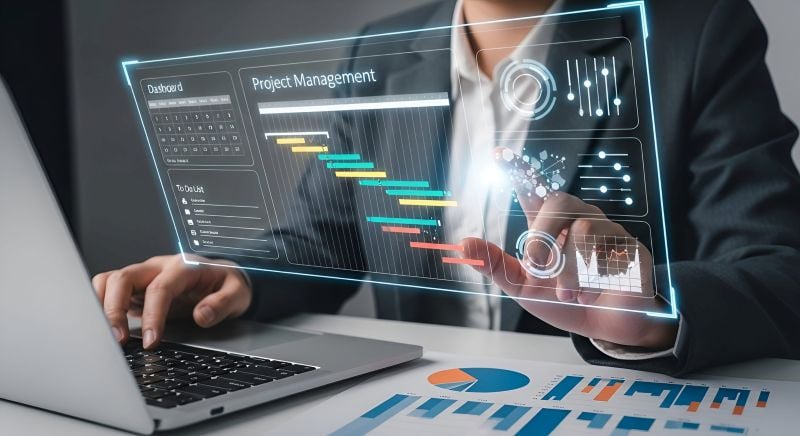
Project management software gives you a clear view of schedules, milestones, budgets, and responsibilities. Team members can update progress, assign tasks, and communicate within the platform rather than relying on scattered emails or phone calls.
Many platforms also send automated reminders when deadlines are approaching or tasks haven't been completed, improving accountability across the project.
When choosing software, look for a solution that integrates with the tools your team already uses. The easier it fits into existing workflows, the more likely your team is to embrace it.
3. Secure File Sharing Is Essential
Property development involves highly sensitive information. Architectural drawings, financial documents, permits, contracts, and client records all need to be protected.
Sending these files through unsecured email or consumer file-sharing services increases your cybersecurity risk and makes it harder to control who has access.
Secure cloud collaboration platforms provide encrypted storage, permission-based access, and detailed audit trails that show who viewed or edited a file. That added visibility helps protect confidential information while making collaboration more efficient.
Just as important, establish clear file-sharing policies. Your team should know where documents belong, who can access them, and how sensitive information should be shared.
4. Reliable IT Infrastructure Supports Every Stage of Development
Even the best software can't compensate for unreliable technology. Slow internet connections, outdated computers, aging servers, or inconsistent Wi-Fi can delay approvals, interrupt meetings, and slow communication between the office and the field.
Reliable IT infrastructure gives your team the foundation they need to stay productive. Whether employees are working from headquarters, a temporary project office, or a construction site, dependable connectivity keeps projects moving without unnecessary interruptions.
Technology problems often have a ripple effect. A single outage can delay scheduling decisions, impact budgets, and create frustration for both employees and clients.
5. Cybersecurity Should Be Part of Every Project
Cybersecurity isn't just an IT issue anymore. It's a business risk. Property developers manage financial records, contracts, engineering documents, blueprints, and confidential client communications. That makes architecture, engineering, and construction firms attractive targets for ransomware attacks, phishing scams, and other cyber threats.
Fortunately, many attacks can be prevented with basic security measures.
Multi-factor authentication (MFA) helps prevent unauthorized account access, while endpoint protection secures laptops, desktops, and mobile devices used throughout a project. Regular software updates close known security vulnerabilities before attackers can exploit them.
Combining strong IT security for architecture and construction firms with secure cloud collaboration and proactive data protection strategies reduces the risk of ransomware, minimizes business disruption, and protects valuable project information.
6. Mobile Access Keeps Field Teams Connected
Project managers and site supervisors don't spend their days sitting behind a desk. They need access to plans, reports, schedules, and documentation while they're in the field.
Mobile-friendly platforms make that possible. Instead of returning to the office to review updated drawings or submit progress reports, your team can access everything directly from a tablet or smartphone. They can upload photos, record site observations, approve documents, and communicate with office staff in real time.
That immediate access speeds up decision-making and helps prevent delays caused by waiting for information to move between the field and the office.
7. Data Backup and Disaster Recovery Protect Critical Projects
Imagine losing months of project documentation because of a hardware failure, cyberattack, or accidental deletion. Without a reliable backup strategy, recovering that information could be impossible.
Automated cloud backups ensure important files are regularly copied and stored in secure locations, making recovery much faster if something goes wrong. A disaster recovery plan goes one step further by outlining how your business will restore systems, resume operations, and minimize downtime after an unexpected event.
Clients expect projects to continue even when problems arise, and a solid backup and recovery strategy helps you deliver on that expectation.
8. Your Technology Should Grow With Your Business
The technology that works for five employees may not support a team of fifty. As your business takes on more projects, hires additional staff, or opens new offices, your IT needs become more complex. Systems that once worked well can become bottlenecks if they weren't built to scale.
Investing in modern IT support for architectural firms today can improve productivity, strengthen security, and position your property development team for continued success.
Cloud-based services make growth much easier because they allow you to add users, increase storage, and expand capabilities without replacing your entire technology environment. Planning for scalability now helps avoid expensive upgrades later and gives your business the flexibility to adapt as opportunities grow.
9. Managed IT Services Let You Focus on Development
Your team should be focused on designing buildings, managing projects, and delivering successful developments, not troubleshooting Wi-Fi issues or recovering lost files.
A managed IT provider handles the technology behind the scenes by monitoring systems, performing maintenance, strengthening cybersecurity, managing backups, and providing technical support when problems arise.
This proactive approach reduces downtime, improves reliability, and helps prevent many issues before they affect your business. Instead of reacting to technology failures, your team can stay focused on delivering projects on time and meeting client expectations.
Technology Is a Competitive Advantage
The right digital tools help your entire business perform at a higher level.
Cloud collaboration improves communication, and project management software keeps everyone aligned. Secure file sharing protects sensitive information.
You get the picture: technology should support your team, not slow it down. If your current systems create more work than they eliminate, it may be time to evaluate whether your digital tools are keeping pace with your business.