Home security concerns are a priority for many Australian families today. Common issues include package theft, unauthorized entry, and keeping an eye on kids and pets while you're away. These challenges can leave you feeling vulnerable and anxious about your loved ones' safety.
Choosing the right smart security camera isn’t easy. The vast range of products, complex technical terms, and balancing cost with features can feel overwhelming. Understanding which home security cameras meet your needs without breaking the bank takes careful consideration.
This article simplifies the process of selecting the best home security cameras. It provides actionable tips to address your security concerns while focusing on functionality, reliability, and ease of use.
1. Understand Your Security Needs
Assessing your home’s layout helps identify potential vulnerabilities. Entry points like doors, windows, and garages often require extra attention. Open spaces or poorly lit areas also pose security risks that cameras can address effectively.
Determine the primary purpose of the smart home security cameras. Outdoor security systems monitor driveways or front yards, while indoor cameras help oversee children, pets, or valuables. Selecting smart cameras designed for specific tasks ensures optimal performance.
Consider the number of indoor and outdoor security cameras needed based on your home’s size. Larger homes may require multiple devices to cover all key areas. Placement is also critical. Install cameras at entry points or locations with high foot traffic for maximum coverage.
2. Evaluate Camera Features
Video resolution and image quality directly impact how well you see details. Cameras with 1080p resolution offer clear images. The best home security camera has 4K resolution, which provides superb video quality. Higher resolution is essential for recognizing faces or license plates.
Night vision capabilities ensure visibility in low-light conditions. Infrared night vision or color night vision options improve monitoring during nighttime hours, enhancing security around the clock.
Motion detection is a vital feature. A motion sensor allows your indoor home security camera or floodlight cameras to detect activity and send alerts. Customizable settings help reduce false alarms caused by moving trees or passing animals.
Audio features, including sound detection, add another layer of functionality to your indoor security camera. Two-way talk lets you communicate with visitors or scare off potential intruders. High-quality audio enhances your ability to manage security in real time.
3. Decide Between Wired and Wireless Cameras
Wired cameras offer reliability by maintaining consistent power and connection. These systems work well for stable, uninterrupted monitoring but require professional installation and drilling, which can be time-consuming.
Wireless cameras are easier to install and more flexible for placement. They are ideal for renters or those wanting a quick setup. However, they depend on Wi-Fi signals, which may result in occasional disruptions.
Power sources also matter when choosing cameras. Battery-operated options provide mobility and are easy to relocate, but regular recharging is necessary. Plug-in cameras, on the other hand, offer continuous power but need proximity to outlets, limiting placement choices.
Weighing these factors helps you select the best option for your home security systems based on convenience and reliability.
4. Consider Integration with Smart Home Systems
Smart home compatibility enhances the functionality of security cameras. Many smart home gadgets work seamlessly with Alexa, Google Assistant, or Apple HomeKit. This integration allows you to control cameras using voice commands, adding convenience.
Mobile apps and smart hubs simplify camera management. These tools let you view live footage, adjust settings, or receive alerts directly on your smartphone. Centralized control makes monitoring more efficient and user-friendly.
However, integration challenges can arise. Not all cameras support all smart home devices, leading to compatibility issues. Some integrations may require additional devices or software, adding to the setup complexity. Researching system compatibility ensures smooth operation and reduces frustrations.
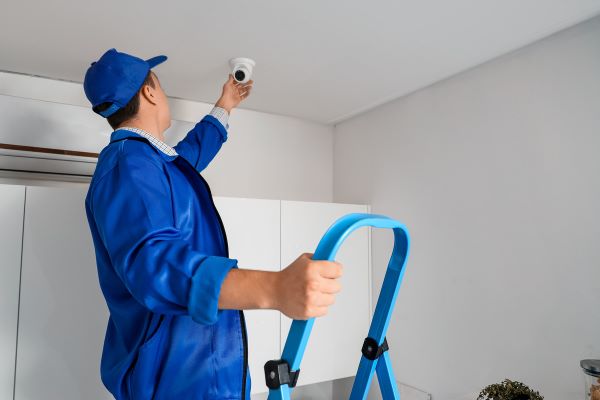
Image souce: Adobe Stock
5. Assess Cloud Storage and Local Storage Options
Cloud storage and local storage offer different benefits for recording and saving footage. Cloud storage allows remote access to recordings from anywhere, ensuring secure backups even if the camera is damaged. Local storage uses memory cards or hard drives, providing immediate access without relying on the internet.
Cloud subscriptions often come with recurring costs. These fees depend on the storage capacity and duration of saved recordings. While affordable plans exist, long-term expenses can add up, making budgeting important.
Privacy concerns are significant, especially with cloud storage. To mitigate risks, choose cameras with strong encryption and reliable security protocols. Regularly updating firmware and using two-factor authentication also protect your data from unauthorized access.
6. Prioritize Security and Privacy Features
Strong encryption standards protect your data from unauthorized access. Cameras with end-to-end encryption ensure that video feeds remain secure, even during transmission. This feature is essential for safeguarding sensitive information.
Secure logins and two-factor authentication add an extra layer of protection. Using unique, strong passwords minimizes the risk of unauthorized access. Two-factor authentication requires an additional verification step, enhancing account security.
Certifications and security seals help identify trustworthy devices. Look for industry-recognized labels like ISO or UL certifications. These endorsements indicate that the product meets rigorous security and privacy standards, giving you peace of mind.
Conclusion
Choosing the best smart security camera requires a clear understanding of your needs, evaluating key features, and prioritizing security and privacy. By assessing your home’s vulnerabilities, exploring storage options, and setting a realistic budget, you can find a camera that effectively protects your family and property.
For enhanced functionality, consider cameras with AI-based features like facial recognition. These advanced options deliver personalized alerts and improve overall monitoring. Solar-powered models are another great choice, offering an eco-friendly and cost-efficient solution for continuous operation.
To maintain optimal performance, regularly update the camera’s firmware. These updates address security vulnerabilities and enhance features, ensuring your device remains reliable. With thoughtful planning and the right tools, you can build a secure and efficient home monitoring system.